Our program gives small to midsize contractors straightforward 2D civil takeoff tools and a practical earthwork module—at an affordable price.
Expected release by the end of 2026 · 7-day trial · Windows desktop program
One-time purchase
Annual updates and support: $200/year. An active annual plan is required for updates and support. Your purchased version continues working without renewal.
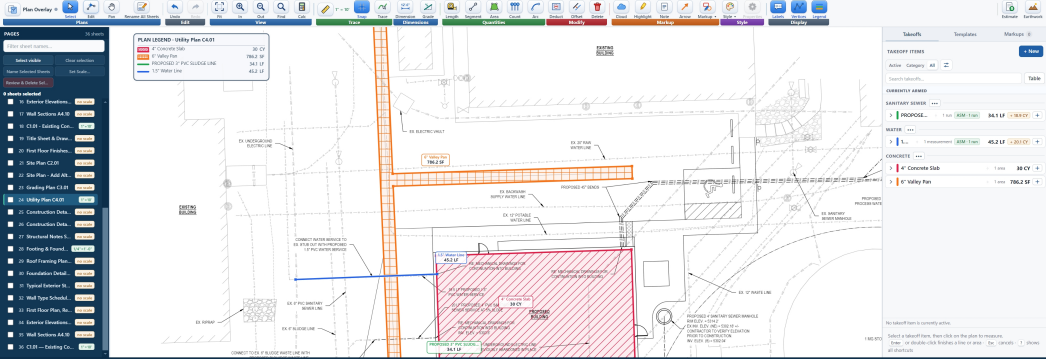
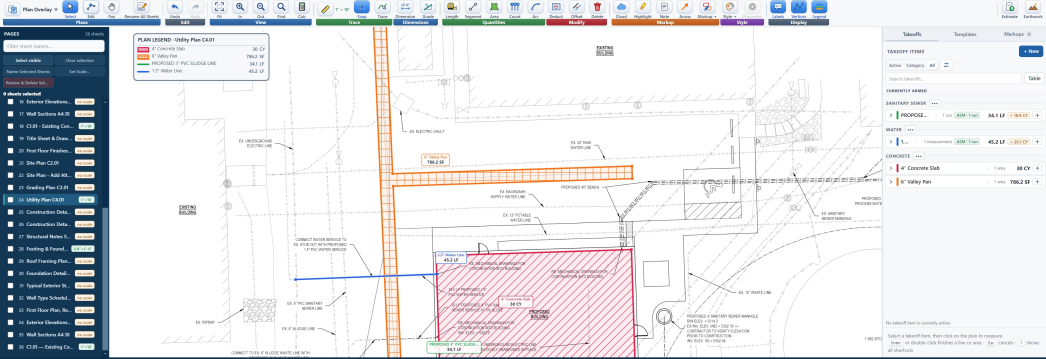
Actual software capture. The media was recorded under the earlier CC Takeoff name.
Measure the planTrace utility runs and define surface areas.
Keep quantities organizedReview measurements by takeoff item.
Move toward pricingUse the included light estimating module.
Keep civil quantities together, from underground runs to paving and site improvements.
Measure pipe lengths and organize structures alongside the surrounding civil work.
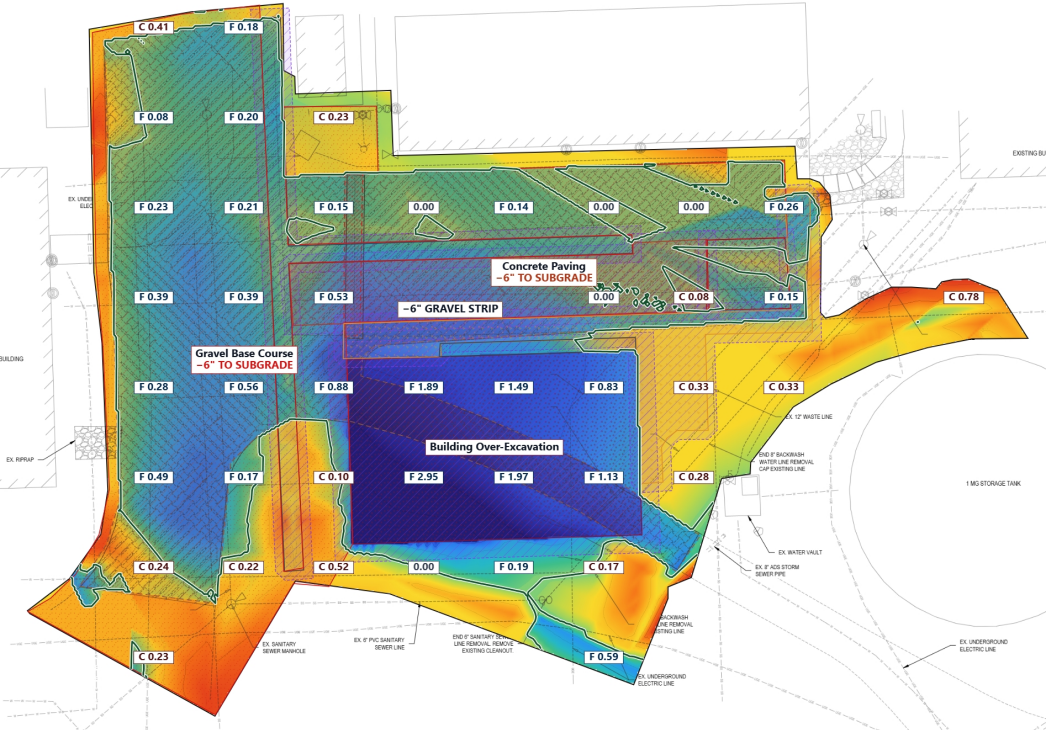
Actual software output
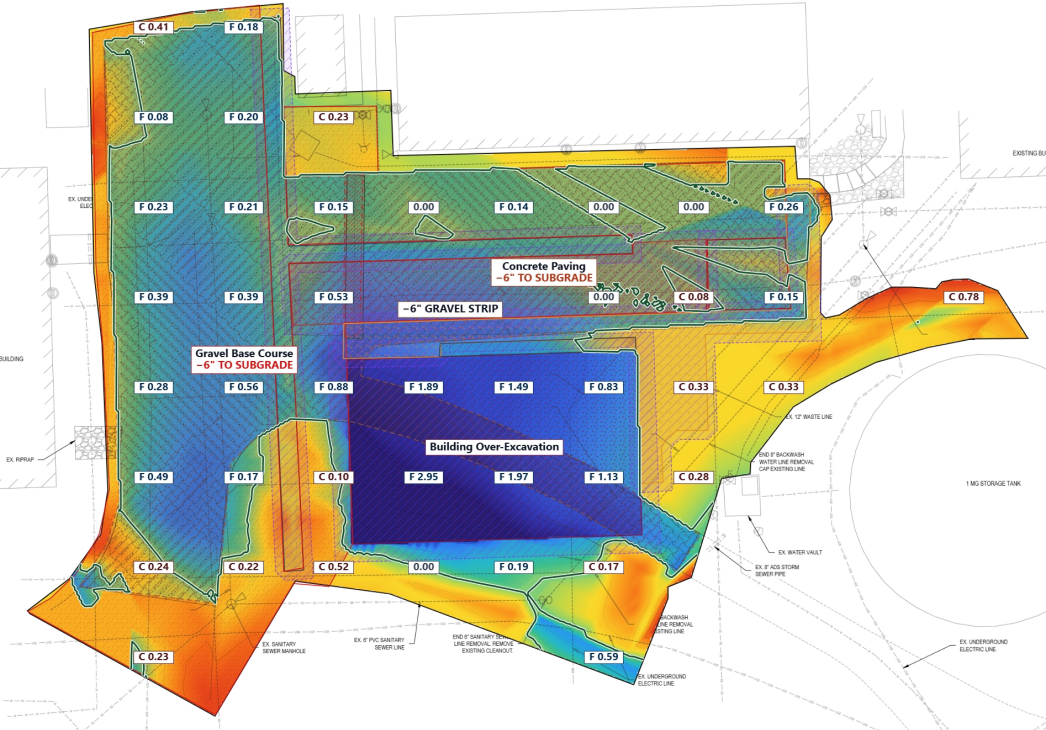
Review cut and fill across the site with a color-coded map and labeled differences.
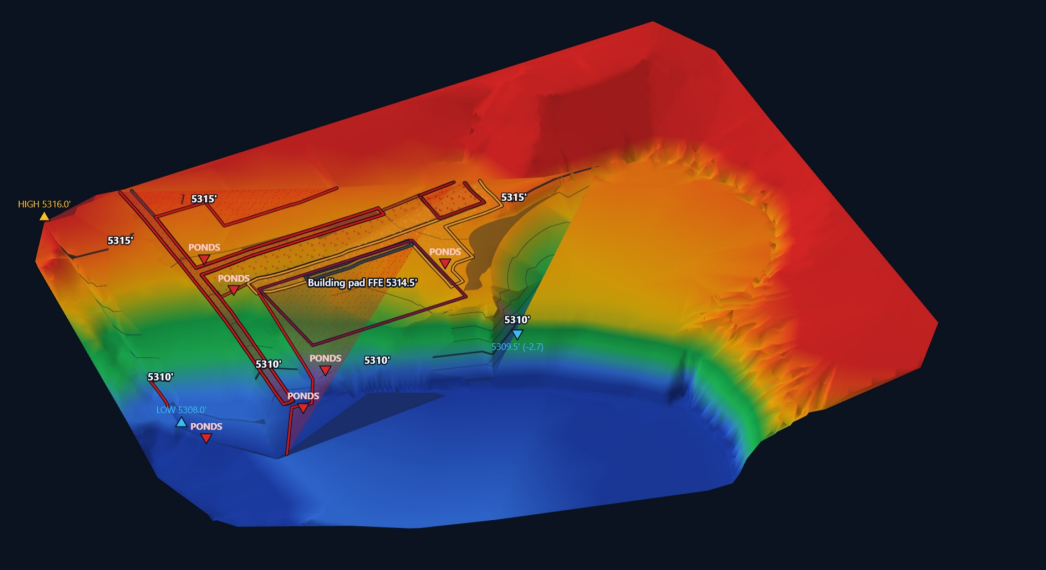
Actual software output
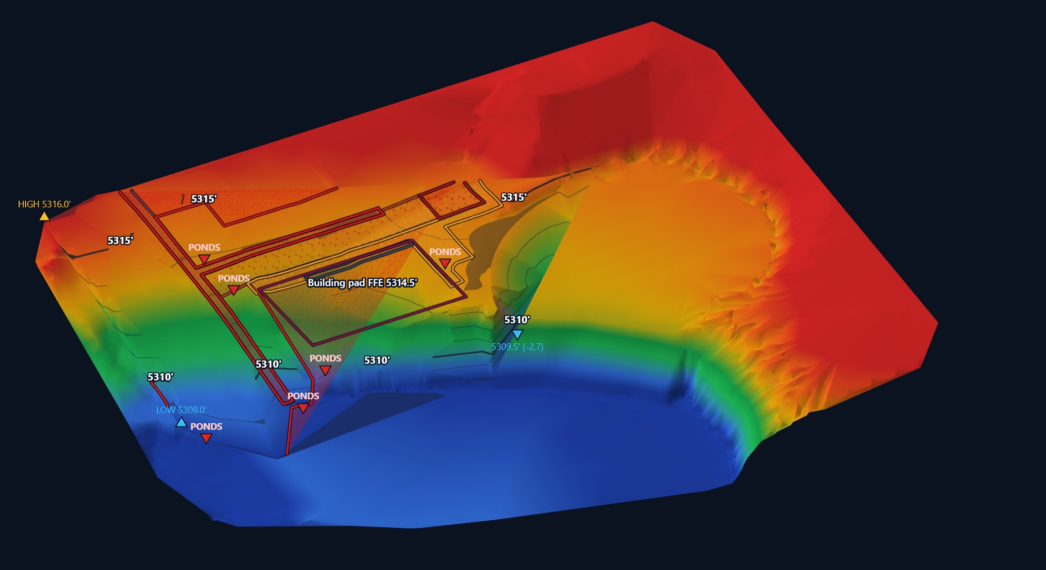
Review the terrain, building pad, and elevation changes in a three-dimensional view.
A practical earthwork module sits alongside your 2D takeoff tools for reviewing existing and proposed site conditions.
Use the small estimating utility for basic pricing alongside your takeoff, or carry quantities into your estimating process.
A straightforward process that keeps the plans and measured scope at the center of your work.
Identify the sheets, limits, and work types before you start measuring.
Trace runs, define areas, and organize quantities into useful takeoff items.
Review quantities against the plans, then use the light estimating module or your existing estimating process.
Watch the complete walkthrough. Pause or expand the player to examine the tools and measured quantities.
Recorded beta demonstration of the current Civil Measure software, on a practice drawing with sample numbers.
Civil Measure was developed by Rick Becvarik, owner of Colorado Civil Takeoffs, drawing on 30 years of civil takeoff experience.
The goal is straightforward: practical tools for small to midsize contractors who need to measure civil work, organize quantities, and move ahead with confidence.
A one-time software purchase, with annual updates and support at $200/year.
one-time purchase
Expected availability by the end of 2026.
An active annual plan is required for updates and support. Your purchased version continues working without renewal.
Use your desktop at the office and your laptop when traveling. The intended license is for one user on up to two registered computers, with one active working session.
Activation and offline travel details will be confirmed before release.
The 7-day trial will be available at release, expected by the end of 2026. Email us now to request trial information at release.
Opens your email app. This is a request, not an installer download.
Ask us about compatibility with your computer. Supported Windows versions and minimum hardware requirements will be published before release.
A Windows takeoff-first program for small to midsize civil contractors, with 2D takeoff tools, a practical earthwork module, and a light estimating utility.
The main focus is measuring and organizing civil quantities. The light estimating module supports basic pricing alongside your takeoff.
Annual updates and support are $200/year. An active annual plan is required to receive updates and support. Your purchased version continues working without renewal.
The planned policy allows two registered computers for one user, with only one active working session at a time. Activation and offline travel details will be confirmed before release.
Use “Request Trial at Release” to email info@civilmeasure.com. Release is expected by the end of 2026. Trials begin at release; installer and activation instructions will be provided at release.
Yes. They show the actual program. The workspace screenshot, cut-fill map, and 3D view are actual software captures. The video shows an earlier beta build, with its opening title and header updated to Civil Measure.
Email support@civilmeasure.com with your program version, a screenshot, and a description of the issue. The website’s automated answers do not send messages to the support team.